AI note-takers are everywhere. They permeate my Instagram feed right there alongside Star Trek news, horse hoof remediation, and sad dads singing their woes to Disney tunes. I have accumulated a representative collection of apps and devices. I’ve discovered I want a note-taking device to do something fairly modest: capture what matters, make it easy to find, and let me get on with whatever comes next. After evaluating this collection of apps and devices, I keep running into products that want a much larger role in my life. They translate, summarize, suggest actions, connect conversations, and sometimes try to tell me what my day meant. The feature lists are impressive. Deciding what to use is harder than it should be.
Of all the devices, Plaud, which was my first AI note-taker from over a year ago, remains my top pick. It offers the most compelling combination of recorded audio, photos, and personal notes for my heavily conference-centric work life. I turn it on during a presentation. I take pictures of slides. I tap out notes. Everything ends up in a transcript that I can query and analyze.
But Plaud isn’t intended for me to whisper in its ear when I have an idea. That’s SpeakON’s superpower. Direct and simple. I push a button. I say something, and SpeakON captures it, removing the ums and ahs and extra words so I don’t have to. It’s more sophisticated than that when you dig in, but that’s what I use it for.
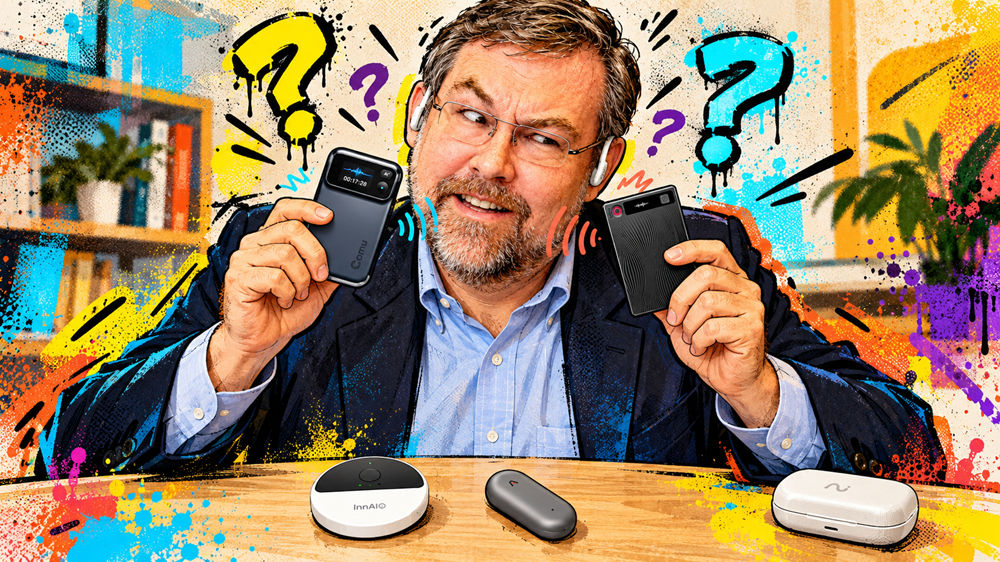
Note-taking devices come in a plethora of shapes and sizes, from earbuds that make recording part of the owner’s wardrobe to apps that eliminate the need for extra hardware. Those differences make use-case recommendations important. Most people will only need one note-taking device, if they need one at all.
To find the right fit for an AI note-taking service/device, buyers need to ask where their current note-taking fails and how a device or app might close the gap. An interview across a table, a call through earbuds, a passing idea, and a slide presentation require different kinds of note capture. Buying a long list of AI features before answering that question invites disappointment: another subscription, another place to lose information, and potentially another device to misplace.
Choose the job before the device
Buyers should consider AI note-takers through these six overlapping use cases. While a product can serve more than one, its primary case should explain why someone would buy it and put it to work.
- In-person conversations. Interviews, meetings, lectures, and presentations captured from the room. Wearables and tabletop recorders make sense here.
- Personal ideas and dictation. Short spoken notes or text entered into an app—a deliberate button and quick delivery matter more than a meeting dashboard.
- Remote meetings and calls. Audio routed from a computer, phone, or headset. A microphone in the room cannot hear the other party inside my earphones.
- Multilingual communication. Translation helps people understand one another during an exchange. Translating a transcript afterward is a different job.
- Visual journaling. Images or video supply the context that a transcript misses. Purposefully photographing a slide differs from letting a camera select moments throughout a day.
- Ambient memory. An ongoing account of conversations and events that an AI can connect over time. The challenge is deciding what deserves to become a memory and making the capture state clear.
Alongside these use cases, I will compare the capture source, physical format, recording controls, and the context I can add myself. I also look at the resulting notes, how they move between tools, the ongoing cost, and whether I can inspect the underlying record. Those questions tell me more than simply counting AI features.
Recording confidence comes first
I found microphone pickup has generally been good. What has not been good is my confidence that a recording actually started. I have hit record on Plaud, InnAIO T10, and TicNote and later found no recording. It appears the recordings never started. I found no audio file to recover, so this was not simply a delay in transfer or transcription. These experiences changed how I use the products.
I now feel the need to monitor the app. That takes away much of the point of a wearable recorder that is supposed to work with a click. A light or vibration that acknowledges a button press needs to correspond to audio being saved. I want an unambiguous recording indicator, an obvious way to stop, and confirmation that the file exists. Software can’t reconstruct a summary from an uncaptured conversation.
“Ambient” also needs a more careful definition. Some of these products record only after a deliberate press; others encourage longer background listening or periodic visual capture. Neither model should leave me guessing whether it is collecting anything. An unobtrusive recorder still needs an obvious state for its owner and a clear way to tell other people what is happening.
The phone already has a job
A magnetic recorder on the back of a phone looks convenient until the user wants to use that same space for charging, a selfie stick, or some other MagSafe accessory. Many times, I found the note-taker an impediment. Detaching it solves the immediate problem but adds another thing to track.
Alternatively, an app avoids the mounting problem but depends on permissions, including access to the phone’s microphone and its audio fidelity, or on a USB port on a computer.
The phone already has a job. I like the idea of an independent device that leverages the phone without taking it over. I’m not convinced that usurping the phone is optimized for note-taking, and it’s not obvious enough that others will recognize it as a recording device, even if they see it, without the owner bringing it. A device, no matter how subtle, likely raises a question or reminds the owner to explain it
Recording needs a stated purpose
A recording button tells a system to listen. It does not necessarily tell the system what I am listening for. A presentation calls for a different record from an interview, a planning meeting, or a passing thought. I want the option to declare that purpose before capture begins.
Leaving all of that interpretation to the AI can make the output harder to use later. A plausible summary may emphasize the wrong point. A conversational search box helps only if it returns useful material when needed. I still want a record I can browse and inspect, rather than having to discover the right question to recover something I remember hearing.
Paying again for the same analysis
I already pay for several AIs that can turn a transcript into an analysis, takeaways, or actions. Another service needs to earn its place. The most defensible charge covers work I would otherwise have to do: capture a passing thought quickly, translate in real-time or record an hour-long conference session with notes and images placed in context. A generic summary or set of action items is a weaker value proposition, especially if my existing AI has more context about me or a project.
The economics differ across this group of devices. Several of them include a monthly transcription allowance. HiDock advertises free basic transcription, and Comu advertises unlimited basic transcription and summaries. SpeakON bundles lifetime Pro access with the hardware. Thine advertises free lifetime recording and transcription, with Intelligence as an optional paid subscription. These exceptions are important in the new nickel-and-diming token economy. “Another subscription” is a legitimate concern, but it should not become a blanket rejection of every product.
Keep in mind that selecting a model inside a note-taking app doesn’t mean employing an existing AI subscription. The vendor will likely bill for its own processing service, so its instance won’t know anything about you that isn’t disclosed to that app. An experience that supports content migration to existing assistants would often be more useful. Buyers need to understand which features cost extra and whether they can get content where they want it.
Consider that privacy isn’t a consideration
Privacy isn’t a consideration. That is the impression with push to record, remember, analyze and report. Each device’s privacy policy deserves closer scrutiny. Granola says it keeps transcripts and notes rather than meeting audio, yet trains its own models on anonymized data unless users opt out; Enterprise users are opted out by default. Plaud says disabling cloud sync avoids a persistent server copy, but requesting transcription or a summary still sends material to an AI provider. Looki’s privacy page describes cloud storage and cloud AI processing, even though its product page also promotes local processing. These are materially different arrangements. Encryption, a no-training promise, and a compliance badge each answer a different question; none of them share the whole path the information takes. If you don’t ask and don’t look, you won’t know the workflow for analyzing conversations, where it goes, whether it is stored, and what vendors do with it.
Before connecting a calendar, email, or another AI, buyers should understand which providers receive the content, how long they keep it, and whether training requires my permission. Deletion should cover transcripts, summaries, voice profiles, and inferred memories, with a clear explanation of what remains in backups or connected services. Continuity should cross platforms with equally clear access boundaries. Privacy belongs in every decision to record and in every subsequent use of the material.
Perhaps more importantly for owners who have already purchased a device, whether they have looked into privacy settings or not, is that others in a room also have a stake in AI note-taking. People in conversation should know when capture starts and what will happen to the recording. Ambient listening and a wearable camera broaden what can be captured beyond what is recorded. This means that announcing a recording in private conversations falls to the person with the recording button. Most public presentations expect recordings these days unless explicitly stated, so be aware of policy and act responsibly when using devices in private or at work, where intellectual property issues will also come into play.
The personal knowledge management challenge
In another realm where AI meets human interaction, Zoom and Google Meet already offer AI notes. That doesn’t invalidate the independent note-taking market. People may need notes from an in-person meeting, a session they didn’t host, or a conversation outside a meeting platform. It does, however, raise the bar for buying another tool.
AI note-takers should be able to follow a subject from an online call to a physical meeting and then to a voice note on a phone. For the evaluated products, a transcript usually remains available, so owners can inspect it when a summary or answer misses the point. It does not, by itself, bring the records together. Having notes in different apps still requires curation. A calendar connection may link a note to a meeting, but it doesn’t necessarily reconcile multiple accounts of the same meeting.
Note-taking remains a nascent market. Vendors are moving toward more integration, but a connector alone won’t fit all related workflows. Plaud, for instance, now offers desktop capture alongside its device library. viaim describes a shared account across its earbuds and NoteKit. Thine publishes a Mac companion, while Memoket advertises connections to existing assistants. These are useful approaches to test, rather than an ecosystem where every meeting record flows together.
Individual priorities will lead to different choices depending on where the gap occurs. Someone who needs to record interviews across a table faces a different problem than someone dictating messages or trying to take notes on calls heard through earphones. The first decision is which activities require a better record. The next consideration should be how much extra hardware, software (and subscriptions) that improvement is worth.
Ultimately, the market needs an AI operating system: a common place where authorized notes retain their sources, annotations travel with them, and the chosen assistant employs its context. Ecosystems should also let owners direct the system to the recording’s intent before it starts drawing conclusions. A presentation, an interview, and a casual conversation deserve different treatment.
A buyer comparison
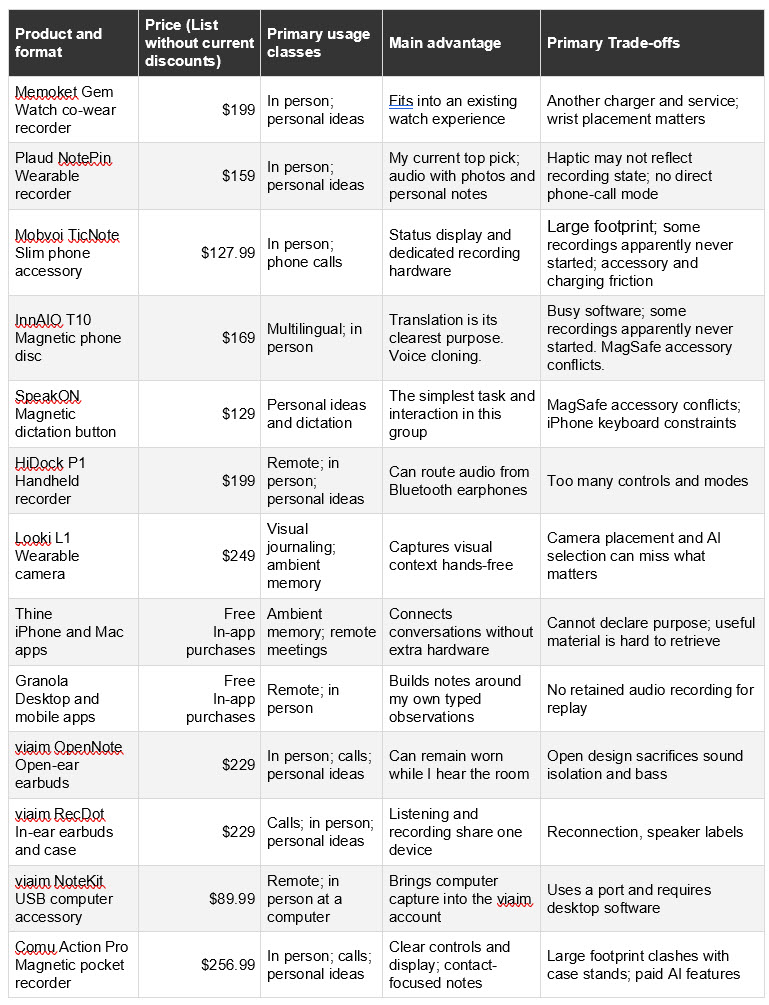
The comparison below identifies each product’s most natural job and its trade-offs. The short reviews that follow explain how those designs fit into daily use.
Keep in mind use cases likely overlap. Standalone recording does not necessarily mean that transcription or AI analysis works without an app or internet service.
All the devices share common data issues, such as transcription errors on poor-quality audio, and the need to manually identify speakers (if that is even an option).
Likewise, they generally support exporting text from transcripts, summaries, action items and other output to files, and several also support direct app integration, including to-do lists, CRM systems and calendars. Those features are constantly expanding and evolving.
Keep in mind that many of these devices are relatively new, and while the hardware may remain stable for some time, business models can evolve rapidly, with new free services appearing and previously free services becoming part of a premium subscription. In addition, firmware updates can significantly change how a device works.
For that reason, I kept these comments high-level. Buyers should look at device pricing, available services and costs, supported exports, and other features before committing to a product.
Brief product reviews
Memoket Gem with Apple Watch co-wear band
The Gem’s co-wear band adds a separate recorder alongside an Apple Watch, making recording part of the Apple Watch experience. It leaves the back of my phone available and puts capture within reach for interviews, conversations, and ideas away from a desk. The app extends audio capture into summaries and connections between discussions, with connections to calendars, work apps, and existing AI assistants.
The attraction is always having a recorder with me during a conversation. The cost is another device to charge and another service to manage. Wrist position, sleeves, and background noise can interfere with recording. The Memoket also requires a proprietary charging cable, which reduces its appeal: one more thing to misplace, and one more device that might not work on the road because the cable didn’t make the bag.
Plaud NotePin
Plaud remains my favorite AI note-taking experience because it combines recorded audio with photos and notes I take during an event. I can preserve why a particular slide or remark was important without expecting the AI to infer my insights or preferences. The wearable NotePin also leaves the back of the phone free and ships with other wearing options, from pendant to wristband, at no additional cost.
My reservation is confidence at the moment of capture. Early on, I tapped the Plaud and thought the haptics signaled that a recording had started. Some didn’t, so now I check the app or start the recording in the app to ensure I capture the audio I want. Once I capture the audio, the combination of a transcript, deliberate visual context, and my own observations gives me the most useful record in my current note-taking collection. The included transcription allowance usually matches my recording needs, but for multi-day conferences I hit the limit, so I roll it over to the next month for analysis.
Mobvoi TicNote
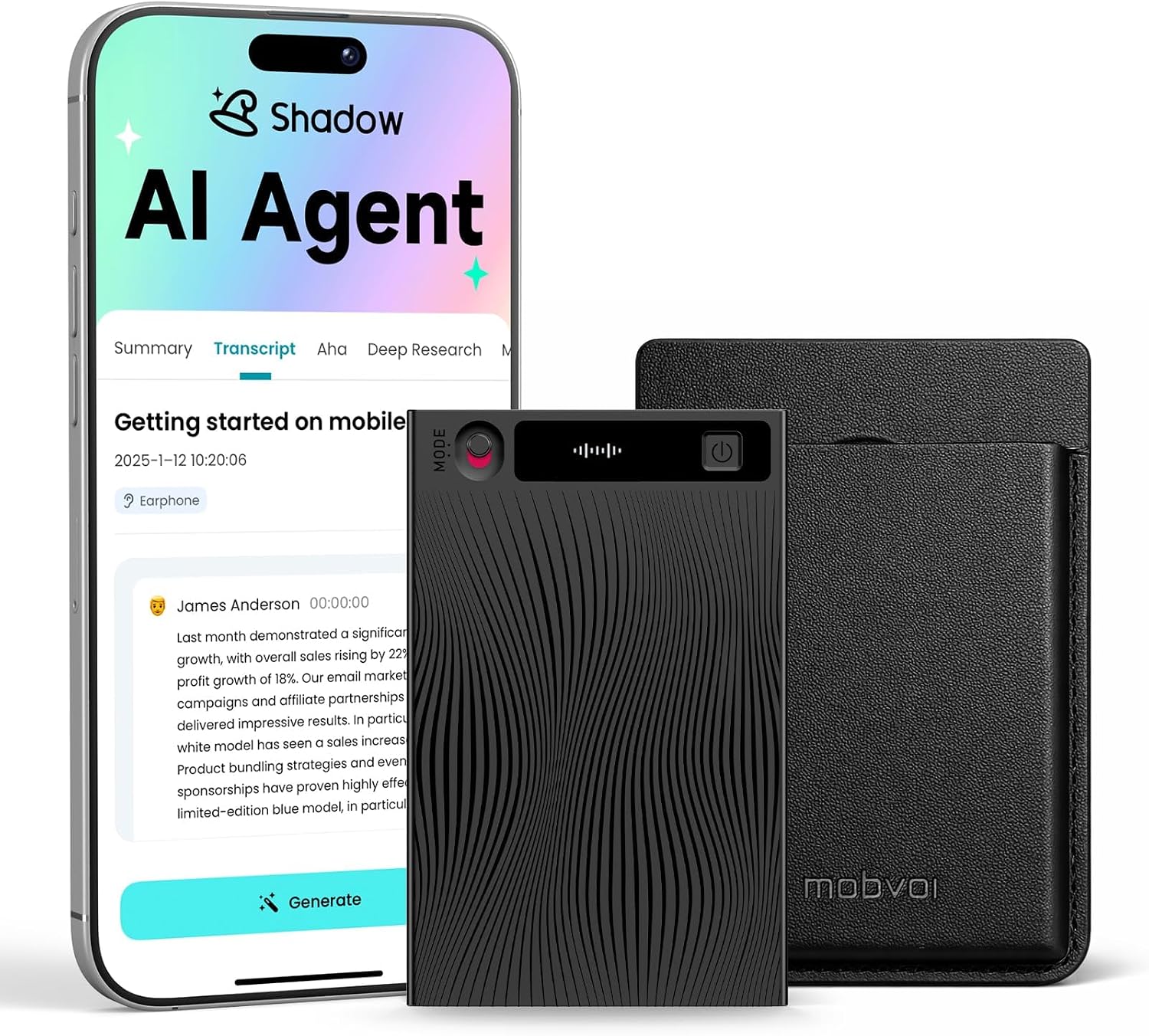
TicNote puts dedicated recording hardware into a slim format with an OLED status display. That visible feedback is a welcome design choice when I want to know what the recorder is doing. Room and phone-call capture offer a clear starting point, while Shadow AI expands the software with summaries, questions, and other analyses. Owners should begin with interviews or call notes before exploring other features like live translation. The mind-mapping feature is cool, including the option to export editable mind map formats.
Like the Plaud NotePin, my evaluation included recordings that apparently never started, even though the display showed an active recording. I now confirm recording in the app. Attaching the TicNote to a phone introduces accessory conflicts, and its poorly designed charging connector adds another item to track. The mode switch requires an action to remember when switching to phone call recording, making one-touch recording not so one-touch.
InnAIO T10
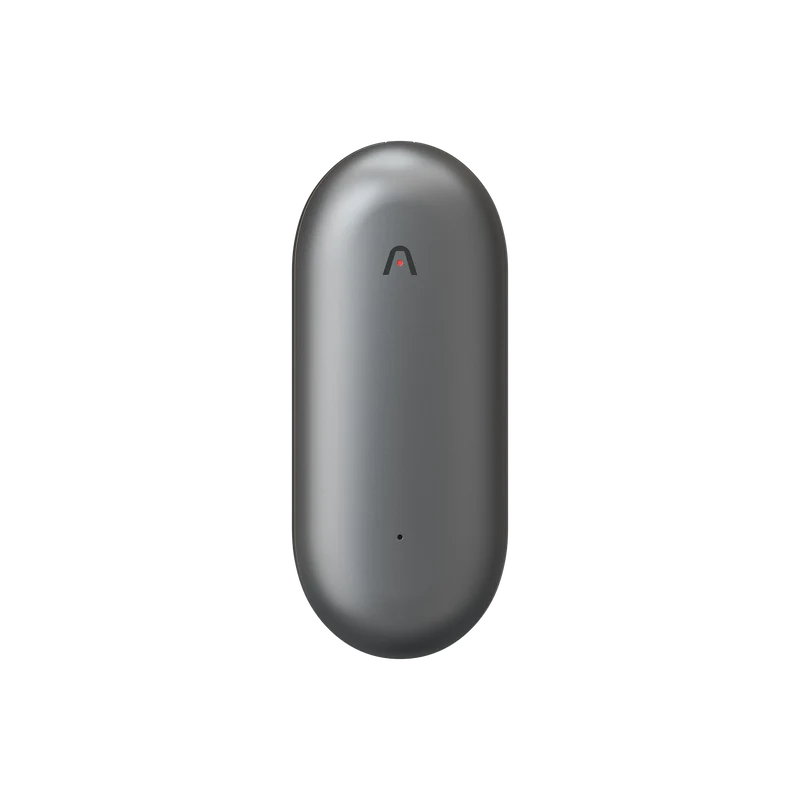
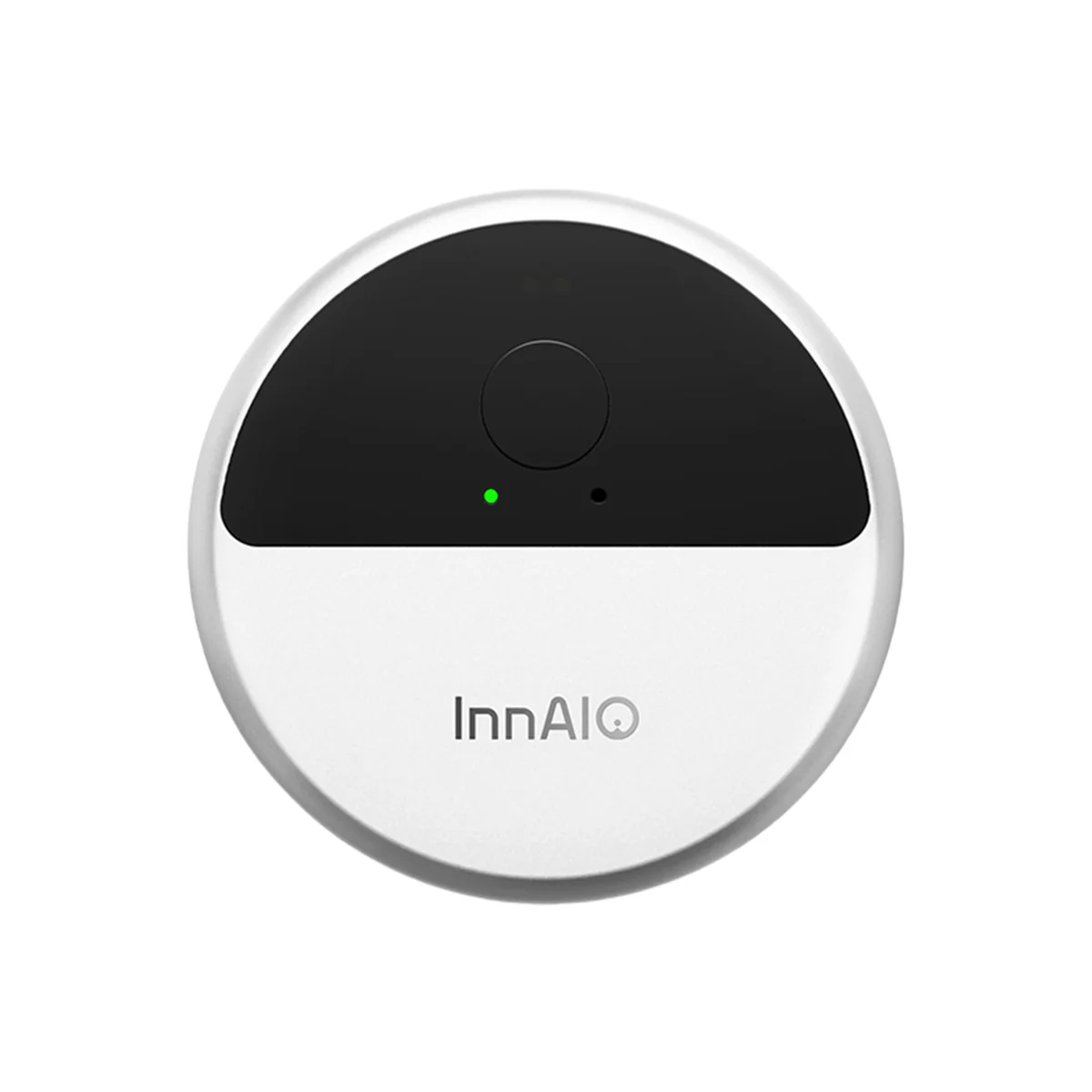
The T10 makes more sense to me as a translation accessory than as a general-purpose note-taker. Its magnetic disc connects to a phone, and the software reaches into conversation translation, translated text, voice cloning, and meeting notes. For someone with a recurring language need, that collection could justify the device. For ordinary notes, it makes the first decision harder: which of these functions will dominate my device experience?
The compact hardware is easier to understand than the busy software. The T10 also missed recordings. Combined with its use of the phone’s magnetic accessory position, that leaves me wanting a specific reason to carry it. Offline languages and call translation will likely be the InnAIO T10’s primary drivers.
SpeakON
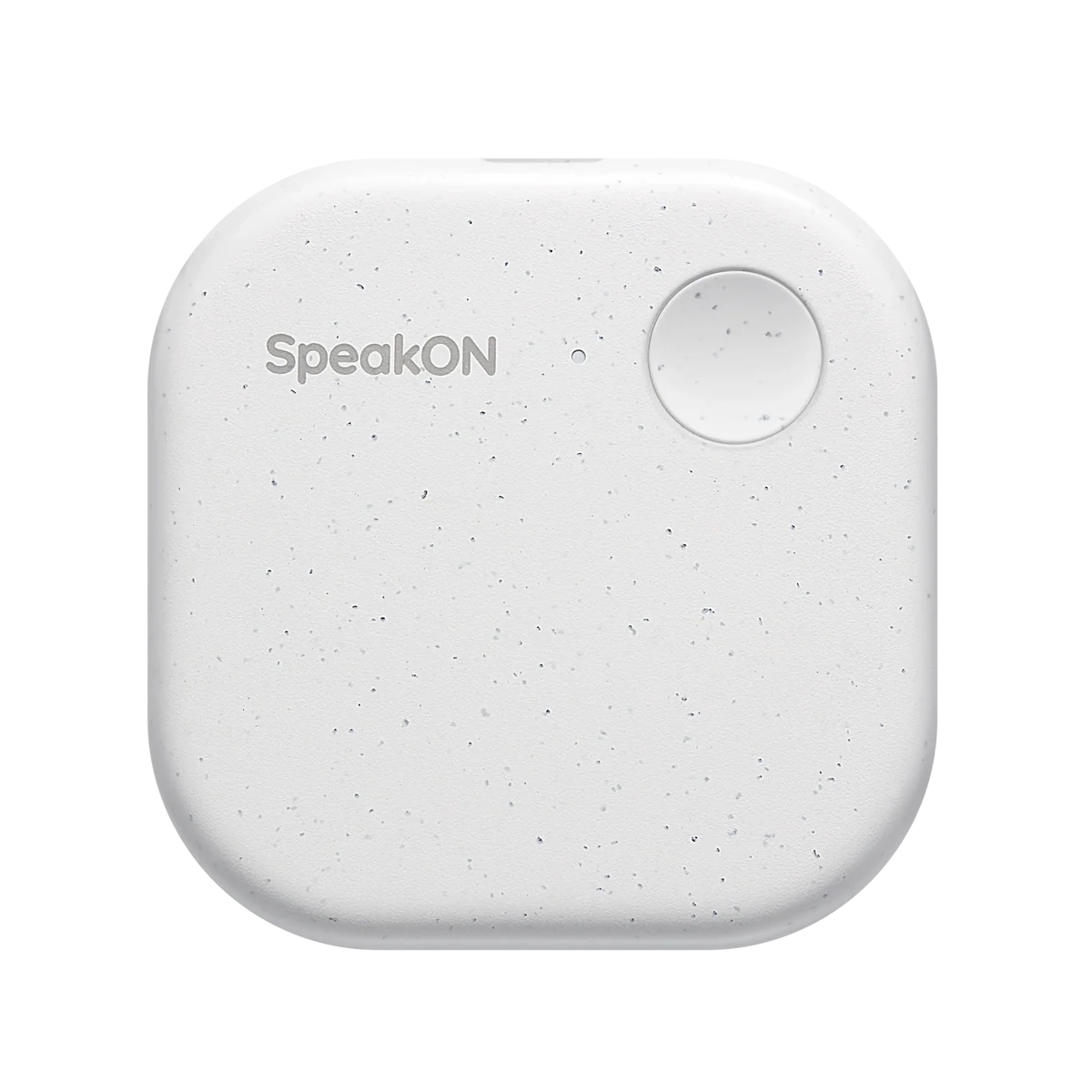
SpeakON is the most direct and simple product in this group. Its physical button has an obvious purpose: turn speech into text. The iPhone keyboard workflow places that text where I am already writing, with optional cleanup and translation. Messages, rough ideas, and short dictation give it a useful role without asking me to organize my day around another meeting dashboard.
I am less enthusiastic about the MagSafe mounting. The phone’s back already has jobs to do, and detaching the device adds another thing to track. The dictation workflow requires invoking it as the iPhone’s keyboard. This device makes close speech in a quiet setting feel natural. The hardware includes lifetime Pro access, making its core value proposition easier to price than other vendors’ subscription models.
HiDock P1
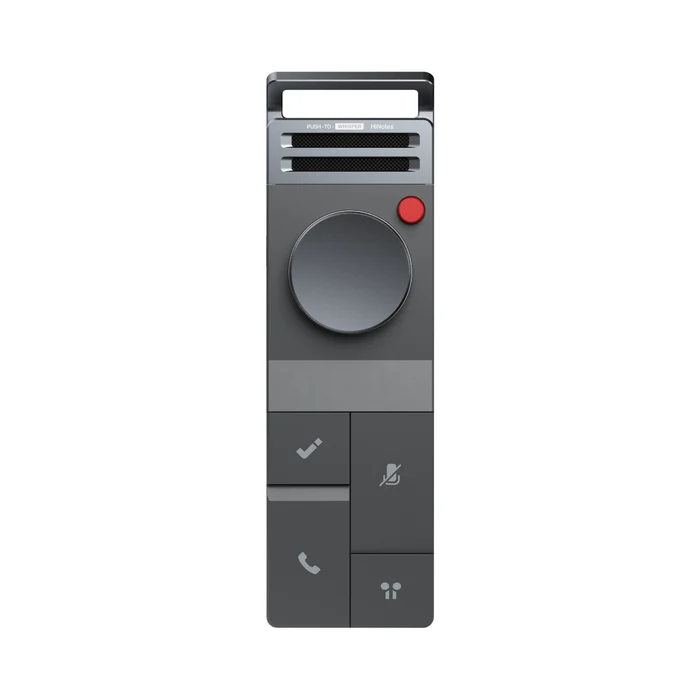
The P1 addresses a real problem: a room microphone cannot hear the other side of a call inside my Bluetooth earphones. HiDock’s BlueCatch arrangement routes that audio into the recorder. Room recording and a Whisper mode for short ideas broaden its use, while advertised free basic transcription gives people a reason to consider the service without immediately adding another monthly charge.
Despite features I find appealing, the P1 tries too hard. Its controls, modes, and magnets for attaching it to a laptop make a simple task feel complicated. A substantial recorder can feel reassuring to hold, but that doesn’t make switching audio routes or reviewing a short recording effortless. It looks damn cool and futuristic with its hard grey matte finish and variety of icon-laden buttons and knobs, but it isn’t intuitive, which is what I want in any device that claims AI features. But as futuristic as it looks, it still requires a cable for audio transfer, even to a phone, which makes it feel equally archaic when connected. I prefer fewer controls and a more straightforward path from pressing record to retrieving the material I need.
Looki L1
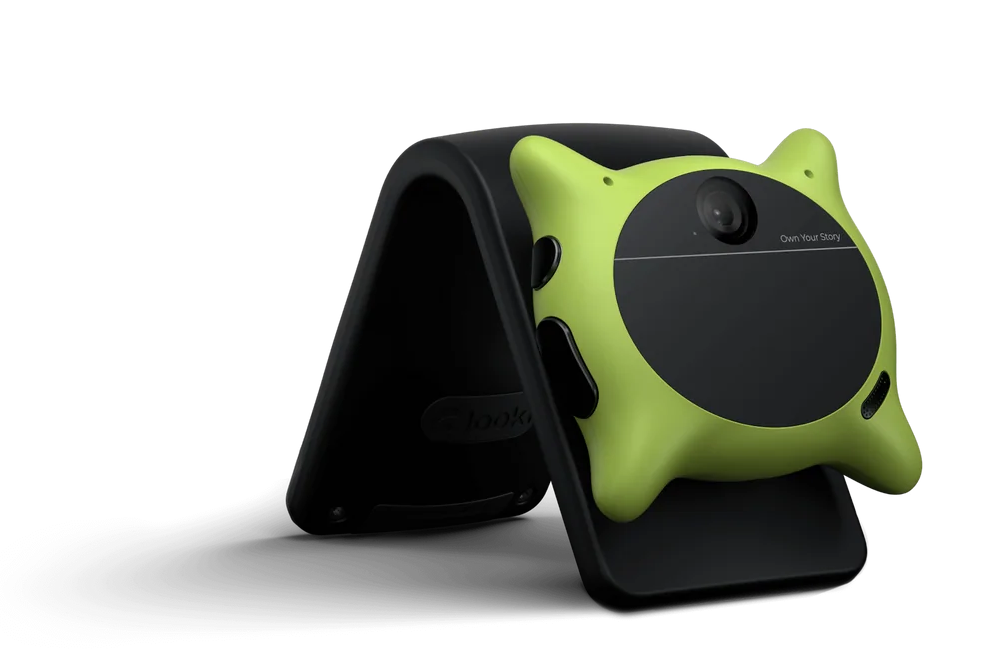
Looki belongs primarily in the visual journaling and ambient memory category. Its wearable camera and microphones can preserve surroundings that an audio recorder misses, and the software turns selected material into recaps and video sequences. That helps owners document an activity without repeatedly reaching for a phone. It differs from deliberately photographing a slide and attaching it to meeting notes, though it can support deliberate photos and audio capture when prompted.
The camera’s position shapes what gets remembered. A device on my chest sees something different from what I am looking at, and a lightweight form factor doesn’t close that gap. Automated editing gives AI a role in deciding what matters. I like Looki when visual context is the purpose, but I review its selections carefully—and wish I could curate my experiences more explicitly. I wear Looki at every conference, but it’s more of a “check out yesterday” experience than a “why did that conference matter” experience weeks or months after the recording and analysis.
Thine
Looki is an ambient snapshot of audio and visual experiences. Thine takes ambient audio to the next level by always listening. Thine can be paused or activated only during scheduled times, but when it is on, it is on. Unfortunately, users can’t tell it what to listen for, so it interprets the content’s organization. A very AI thing to do, and perhaps one that might work for some, but I’m still in the camp ot intentional recording. I find Looki fun at a conference, and it’s out there, on me, so that I can tell people about it. Thine, however, sits in my back pocket and listens, which feels a little creepy, especially when I forget to pause it, which usually happens when it’s on, which, frankly, isn’t that often.
I would feel better if I could give Thine a purpose rather than it interpreting my context. And while its phone-based approach avoids another piece of hardware, and its Mac companion offers a route into computer meetings, that turns my phone or my computer into the device, making them less available for their other functions. If I’m in the middle of a conference and my phone rings, that interrupts phone-based recording (even if it doesn’t, I’m now leaving the room and talking over the recording).
Beyond that, I struggle with the card-based conversational interface; I do find useful bits but not as easily as I would like. If I set the intention, I’d like the things I prioritized to be the most visible when I open the app. It’s an interesting concept, and I’ve been trying it for months, but it hasn’t become part of my day-to-day routine as its designers intended.
Granola
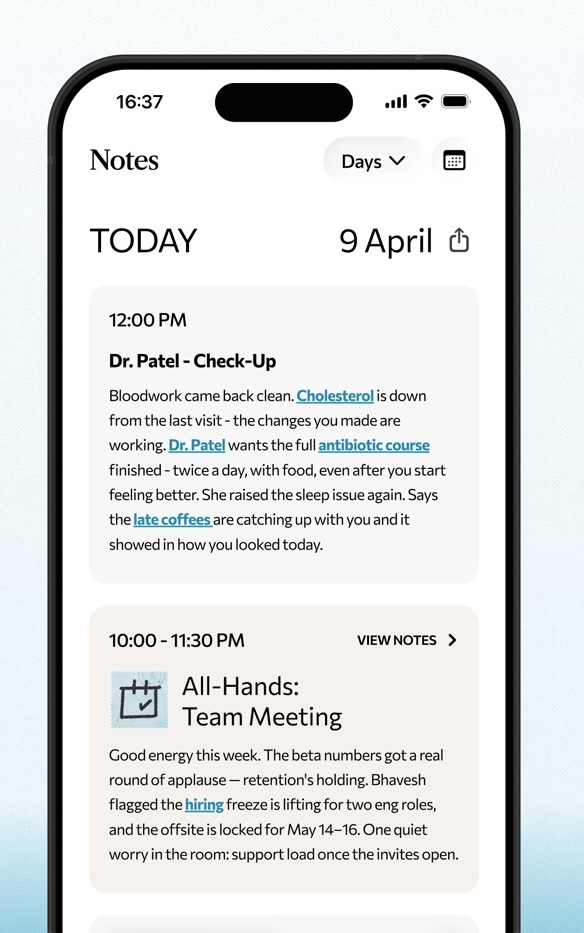
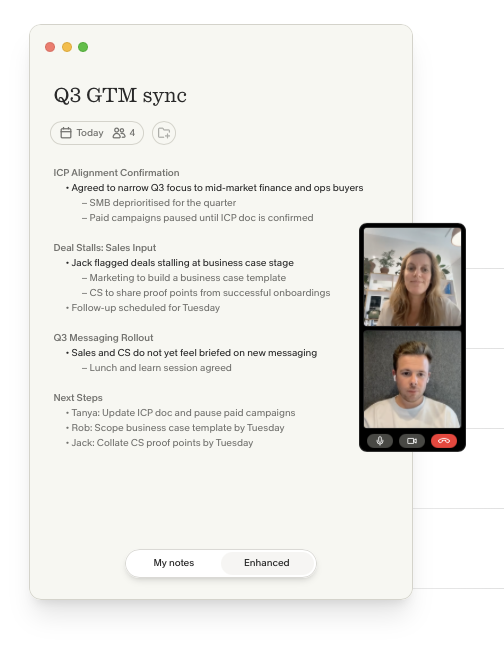
Granola’s strongest idea is that the person in the meeting still has something to contribute. It combines typed observations with a transcript to create fuller notes, but like Plaud. Its desktop app captures microphone and computer audio without adding a meeting bot, while the mobile app extends capture into in-person conversations. That makes it a natural candidate for someone moving between meeting platforms and rooms who wants personal observations to help shape the result.
The limitation for interviews is significant: Granola retains transcripts and notes rather than meeting audio for later replay. If I need to check a quotation against the recording, I need an audio file. The enhanced notes also deserve a read-through when technical details, qualifications, and dependencies matter. Avoiding another recorder simplifies what I carry, but it doesn’t turn AI-assisted notes into a complete audio archive.
viaim OpenNote
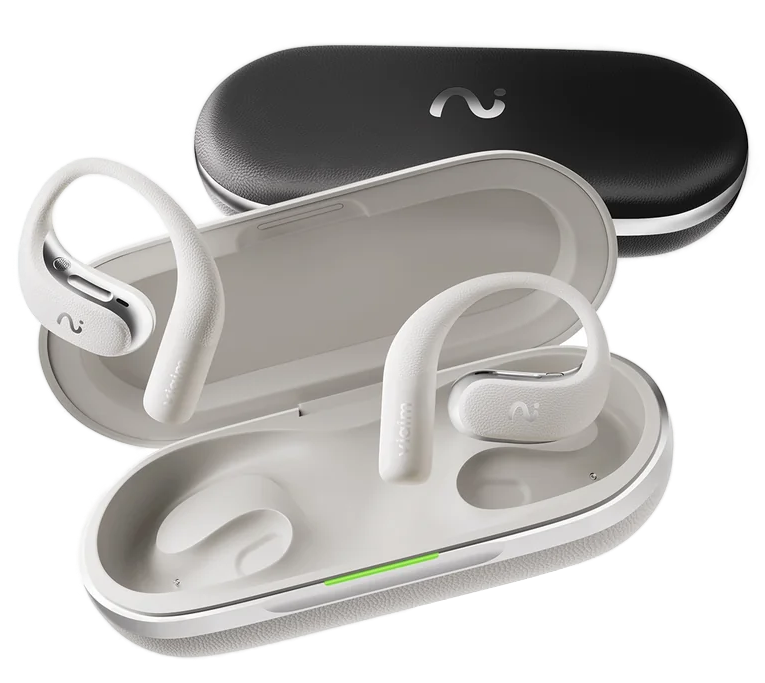
OpenNote puts recording into open-ear headphones. That makes sense for someone who wants to hear colleagues while wearing a device that can also handle calls, spoken notes, and music. It avoids attaching anything to the phone and gives the recorder multiple reasons to be carried. Captured audio feeds viaim’s transcription and summary service, so the design fits a day of conversations, calls, and brief personal notes.
The open format is a trade-off I would make for awareness and comfort rather than for the most immersive music. Without an in-ear seal, bass and isolation have limits. I would judge these first as work earbuds, then decide whether their listening performance is sufficient for the rest of my day. Translation adds another use case, but buyers need to assess available languages and modes before that feature becomes a reason to buy.
viaim RecDot
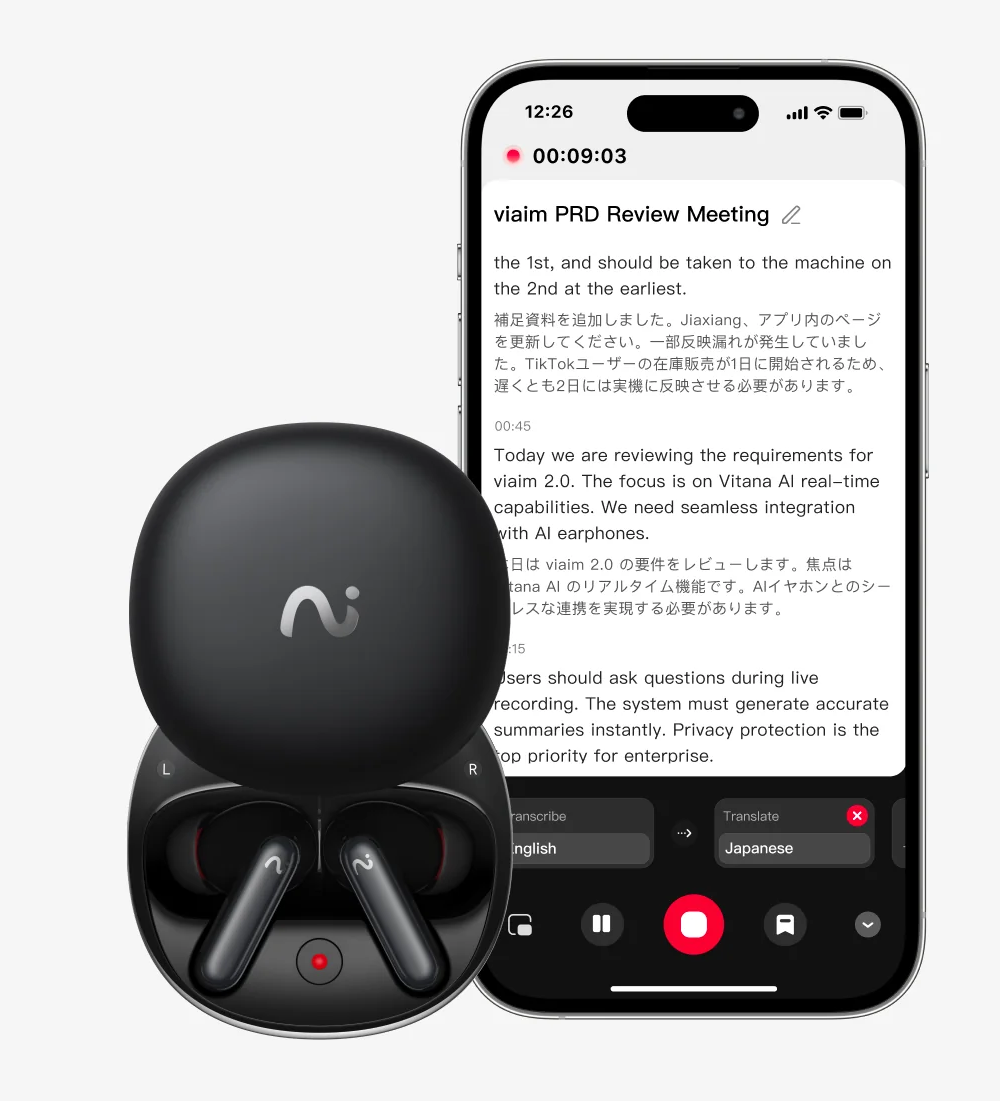
RecDot takes the in-ear route, combining listening, calls, and recording. Its unique charging case doubles as a room conversation device. Someone who already carries earbuds might avoid adding a dedicated recorder to their bag.
The RecDot’s consolidated features work well, but their note-taking abilities need to be balanced against fit and music performance if they replace dedicated earbuds (which at this price, they should). Overall, I found them to be above-average earbuds.
Also note that they can experience reconnection issues when moving between a phone and a computer. The recording features are a reason to consider RecDot, but those who prefer another earbud brand or already have an audio note-taking device should consider viaim’s flagship as a full replacement. If they don’t, the RecDot may end up as an expensive, seldom-used toy that gets trotted out in a meeting, but never becomes part of a personal knowledge arsenal.
viaim NoteKit
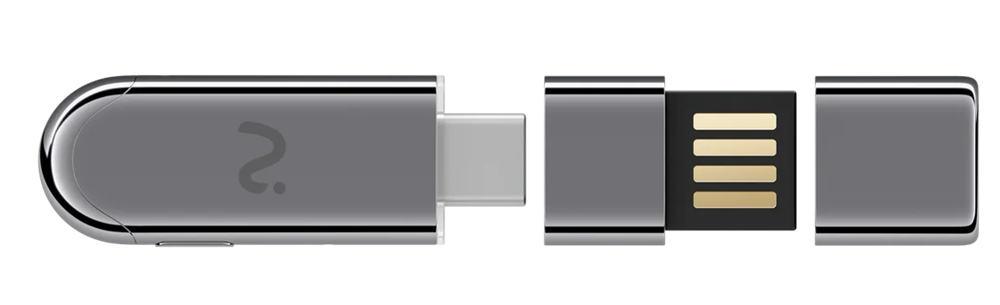
NoteKit is a small USB recorder for a computer. It captures computer audio and nearby speech through desktop software, and its notes synchronize under the same viaim account as the company’s other devices, for an OpenNote or RecDot owner, offering a good way to keep online meetings and recordings in one library. Computer power also removes the need to manage another battery.
Its case is harder to make when the existing meeting app already supplies adequate notes. NoteKit also occupies a USB port and adds software to a machine that can already capture audio. A small accessory may be easy to carry, yet its controls and start sequence still need to become familiar. I often use NoteKit to capture webinar audio when the host disables my other recording tools.
NoteKit rounds out viaim’s offerings, creating the most complete note-taking ecosystem, but it requires at least two of the three devices to maximize utility, and two of those devices are earbuds that compete with existing earbuds. For many, however, the NoteKit, the least expensive device reviewed, could be a good buy for capturing all kinds of audio from increasingly restrictive operating systems.
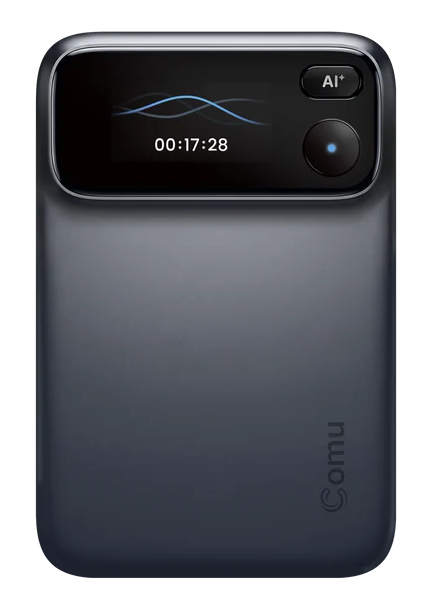
Comu Action Pro
I appreciate the Action Pro’s clear buttons and the visual confirmation on its built-in display. Those details address one of my biggest concerns with this category: knowing that recording has started. So far, no false positives. However, the hardware is very large on the back of a phone. On my Zagg case, the stand prevents it from lying flat and attaching securely, and it also makes the stand useless.
While it took several tries, which leaves me questioning the sensitivity of the combined microphone and software, recording my voice so the device knows me is a feature all other products should emulate. That said, early recordings did not seem to identify me as the speaker, despite that enrollment. Transcription itself is good, and the app asks for feedback afterward. Getting the words right and knowing who said them are separate issues.
The interface revolves around chat, and the built-in AI works well. A dedicated AI button invokes a chat for follow-up material, including emails and documents. Those drafts still need review. What stands out most to me is the ability to create contact notes that resemble a customer relationship management record. I haven’t seen that feature in the other products. It gives the Comu Action Pro a clearer role than more generic features.
The recurring cost remains a reservation. Comu advertises unlimited basic transcription and summaries, but insights and highlights were behind paid plans in the app, and broader AI workflows also require subscriptions and are subject to credit limits. Useful AI doesn’t overcome my reluctance to add another subscription. Potential buyers should weigh the contact-focused workflow and reassuring recording controls against subscription costs and the awkward phone fit.
- Taking Note: An AI Note-taking Device and App Market Analysis and Buyer’s Guide - October 23, 2026
- Star Trek Celebrates 60 Years with Major Announcements at San Diego Comic-Con 2026 - September 8, 2026
- Why AI Will Humble Regulators - July 25, 2026