Desks have become more fluid than offices. A laptop now plays multiple roles: the meeting machine, the travel machine, the creation machine, and, more often than not, the machine that often runs an individual’s AI experiments in the background. That role-switching makes design choices feel less cosmetic and more strategic.
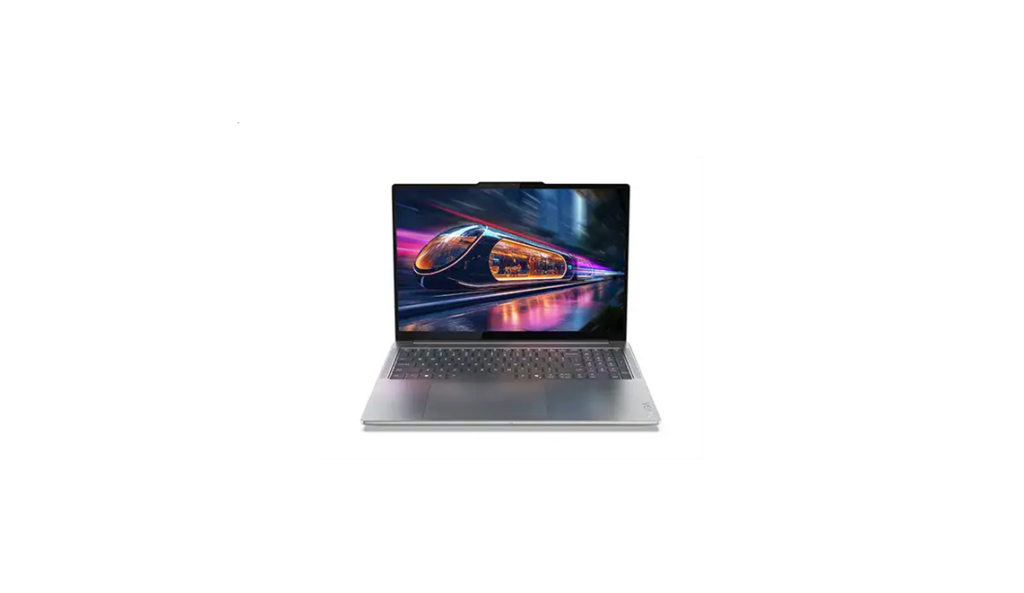
The Yoga Pro 9i (16” Intel) Aura Edition catches Lenovo leaning into that new reality. This laptop aims at creators and power users who want a premium screen, real ports, and a capable GPU and NPU without drifting into the bulk and behavioral quirks of a mobile workstation. This is based on a hands-on review of the 16-inch Aura Edition in the model 83L00009US configuration. A version of the laptop is available on Amazon here.
Form
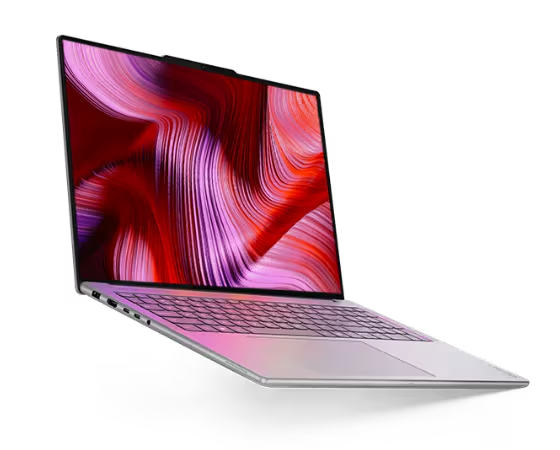
Lenovo gets the Yoga Pro 9i’s industrial design right. The 14.28 x 9.99 x 0.70-inch Yoga Pro is crafted from premium aluminum (with some of it, thankfully, made from recycled materials). A shiny silver accent on the camera/lid lip adds an elegant touch. The machine’s visual identity, however, is less about being thin and more about being intentional. The keyboard and the shell feel cohesive. The entire design flows, including the air, which drifts in under the slightly raised rear of the laptop, helping keep the CPU/GPU combination cool.
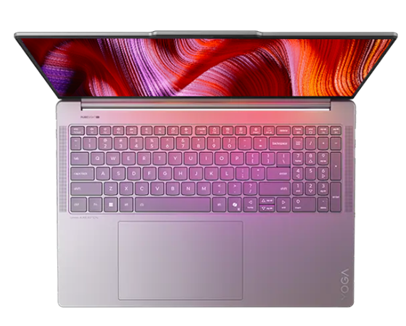
My only complaint is the offset trackpad positioned to accommodate the numeric keypad (which I could do without). This makes typing, as with the design, feel a bit left-of-center mentally (not politically). I want to keep moving my hands to the right, but then I miss the keys. Those who adopt the Yoga Pro 9i as their long-term companion will build mental maps that allow them to ignore this design quirk in daily practice.
Function
The Yoga Pro 9i’s functional story starts with the platform: Intel Core Ultra H-series processors paired with NVIDIA GeForce RTX 50-series laptop GPUs, positioned as an “AI PC” that can accelerate creation workflows and GPU-assisted applications. Lenovo’s PSREF documentation for the Yoga Pro 9 16IAH10 platform specifies Wi‑Fi 7, Bluetooth 5.4, an 84Wh battery, a 5MP + IR camera stack, and a port selection that includes two Thunderbolt 4 ports, HDMI 2.1, two USB‑A ports, an SD card reader, a 3.5mm combo jack, and a slim‑tip power connector.
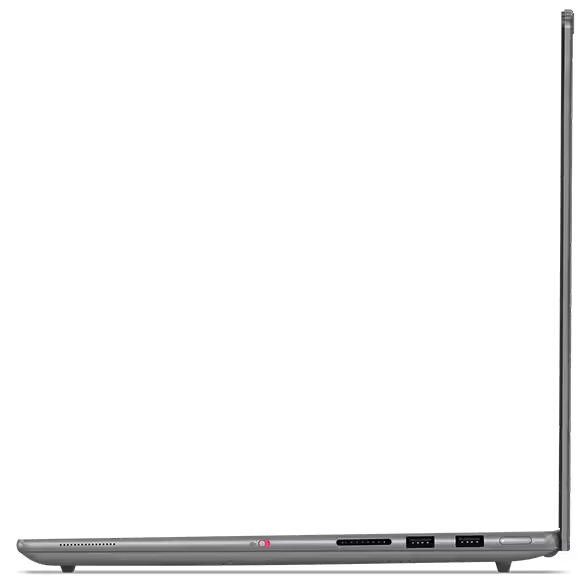
I am not a fan of the slim-tip power connector. While the Yoga Pro 9l supports USB‑C Power Delivery on Thunderbolt, the primary charger remains proprietary. Lenovo’s platform spec requires the slim‑tip connector and also calls out the 135W charging requires a Lenovo-specific adapter, which reinforces the ecosystem dependency of the power design. Misplacing this charger will disrupt workflows.
My Experience
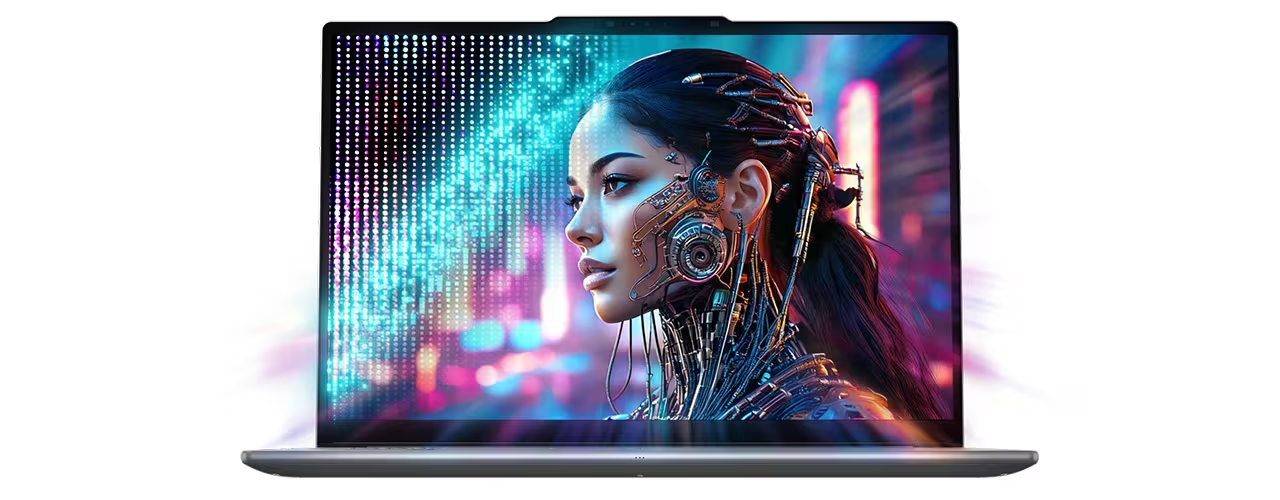
While I didn’t get to spend a lot of time with Lenovo’s PureSight Pro Tandem OLED display (which I saw in a demo), the 2.8K PureSight Pro display proved outstanding. The VESA Certified DisplayHDR™ screen is bright, color-accurate, and visually confident. It feels immersive, and at least for me, it encouraged creative work rather than merely supporting it. For artistic endeavors like photo work, design, and video timelines, the display quality reduces the pressure to carry an external monitor—with the 3.2K version offering an even more expansive visual experience.
Beyond pixel density and the visual acuity of the Tandem OLED option, Lenovo promises the multi-layer design will last up to 3 times longer than generic OLED displays.
On AI tasks, the system feels fast and capable, but it does not pretend to be an AI-dedicated box. This is an AI-light design: ideal for applications that benefit from GPU and NPU support, but not designed to win brute-force races against machines tuned specifically for sustained AI workloads.
 Connectivity is practical. The included port mix covers most real-world needs without pushing everything into dongles. That practicality is undercut by the power adapter choice. The non‑USB‑C charger is a portability challenge. I could not simply plug the Yoga Pro 9i into my OWC Thunderbolt dock and go. I had to unplug something else to find a home for the bulky power supply before the Yoga Pro could work its magic without draining the battery during use. This makes the Yoga Pro’s ecosystem more fragile in shared environments like hot desks, mixed laptop pools, and travel situations where a universal USB‑C charger would otherwise be a fallback.
I found typing on the keyboard less than optimal given its offset trackpad. The design I idea appears to be keep the trackpad aligned with the main keyboard and treat the numeric keypad as a peripheral. That didn’t work for me. My brain felt like I was off-center, which I was, and wanted to keep centering me, which meant I often found my fingers off the home keys when typing. Probably not a big deal for non-touch-typists, but a challenge for those of us with ingrained physical-mental models of where our fingers are supposed to land on a keyboard.
Frankly, for creators, I’m not sure the numeric keyboard adds much (of course, those who fancy themselves financial creators will appreciate the display when working spreadsheets as much as photographers will appreciate it for fine-tuning photographs—so for them, a numeric keyboard is a plus). Regardless, the large trackpad is appreciated, even if, in my opinion, it’s in the wrong place.
Overall, proprietary power and an offset trackpad notwithstanding, I found the Yoga Pro 9i an attractive, creator-inspired and creator-friendly laptop. It is not overly thin-and-light (4.25lbs), but it is portable, powerful, and the display often eliminates the need for an external screen.
Aura Edition software: Smart Modes, Smart Share, Smart Care, and Lenovo X Power
Lenovo’s Aura Edition branding bundles a set of experience features that are meant to make a powerful laptop behave like a well-mannered companion rather than a collection of specs. Smart Share creates a phone-to-PC bridge: tap an Android or iOS phone to the PC to connect, then drag and drop photos for editing or sharing. Smart Modes delivers an AI-accelerated productivity layer that automates tasks, boosts security, enhances digital wellness, and optimizes performance. Smart Care offers access to real-time troubleshooting with technicians.
Lenovo’s X Power performance governor detects demanding scenarios and boosting hardware and software acceleration, and optimizes cooling. In practice, the value proposition is straightforward: creators get more predictable performance without living in performance-profile menus.
Pricing and warranty
Pricing varies by configuration and retailer. Lenovo’s discounted pricing on its sites at the time of this review ran from $1,959.99 to a@2,259.99. The NVIDIA® GeForce RTX™ 5060 Laptop GPU 8GB GDDR7 configuration is listed at $2,809.99 before the discount. Buyers can also create custom configurations, with limited options. A high-end system will run around $3,400.
Lenovo’s warranty for the Yoga Pro 9 16IAH10 platform lists a base warranty that includes 1-year courier or carry-in service (with other regional variants also documented).
Specifications
Basic specifications for model 83L00009US:
- CPU: Intel Core Ultra 9 285H
- Memory: 32GB LPDDR5x-8400 (soldered)
- Graphics: NVIDIA GeForce RTX 5050 (8GB)
- Display: 16-inch 2.8K OLED, 120Hz (touch)
- Storage: 1TB PCIe Gen4 SSD
- Camera: 5MP + IR
- Connectivity: Wi‑Fi 7, Bluetooth 5.4
Platform (Yoga Pro 9 16IAH10) port selection:
- 2x Thunderbolt 4 (with USB PD and DisplayPort)
- HDMI 2.1 (up to 8K/60Hz)
- 2x USB-A (USB 5Gbps; one Always On)
- SD card reader
- 3.5mm headphone/mic combo
- Slim tip power connector
Display options in Lenovo’s datasheet include a 16-inch 3.2K PureSight Pro Tandem OLED panel (120Hz) with up to 1,600 nits peak brightness, and a 16-inch 2.8K PureSight Pro OLED panel (120Hz). The Yoga 9i can also be configured with up to 64GB of memory, and outfitted with a lower-cost Intel Core Ultra 7 255H, or upgraded with NVIDIA® GeForce RTX™ 5060 or 5070 Laptop GPUs. It can also ship with up to 2TB of storage.
Sustainability notes
Lenovo demonstrates with each shipment that its commitment to environmentally friendly manufacturing and packaging is very real. The Yogo Po includes EPEAT Gold registration, ENERGY STAR certification, Carbon Neutral Certified status, plastic-free packaging, and recycled materials, such as recycled aluminum in the bottom cover and post-consumer recycled plastics in multiple components.
Pros
- Premium, cohesive design and build
- PureSight Pro Tandem OLED display quality (an available option)
- Strong performance for creator workloads with sensible thermals
- Practical port selection (Thunderbolt 4, HDMI 2.1, USB-A, SD card)
- Aura Edition features add useful cross-device and system-management behaviors
Cons
- Proprietary slim-tip power adapter instead of a USB‑C-only charging approach
- Battery life is workload-sensitive and not positioned as all-day under heavy use
- No onboard Ethernet
- No fingerprint reader (IR camera is the biometric authentication hardware)
The Verdict
The Yoga Pro 9i (Gen 10) Aura Edition sits in a useful middle ground: more practical than design-first premium competitors, and slightly more portable than a full workstation. The combination of OLED display options, strong CPU/GPU configurations, and a port selection that respects real work makes it a credible creator laptop. Lenovo’s Aura features, especially Smart Share, Smart Modes, Smart Care, and Lenovo X Power, create a buyer-first support experience.
The proprietary power connector is the main strategic misstep. It is not a deal-breaker, but it adds fragility to travel and shared-device environments.

His work has been featured in Harvard Business Review, Fast Company, Wired, NASA Ask, and dozens of other magazines and websites. His analysis on the future of work can be found at SeriousInsights.net. He is also the author of Understanding Artificial Intelligence, Cyberlife, Rethinking Smart Objects, and Empower Business with Generative AI.
Rasmus regularly speaks on the future of work at events such as Comic-Con International, Wondercon, Impact, Enterprise AI World, Worktech, CLO Symposium, KMWorld, AAAI, Computers in Libraries, Microsoft’s Building the Future, Educause, Expo Capital Humano, Devlearn, Internet Librarian, CAMEX, EduComm, and Sourcing Summit Europe.
As an Affiliate Instructor, Rasmus teaches scenario planning at the University of Washington and is an Associate Adjunct Professor at Bellevue College.
- Taking Note: An AI Note-taking Device and App Market Analysis and Buyer’s Guide - October 23, 2026
- Star Trek Celebrates 60 Years with Major Announcements at San Diego Comic-Con 2026 - September 8, 2026
- Why AI Will Humble Regulators - July 25, 2026